

Prompt Engineering: 5 Techniques With Real Tests
Artificial Intelligence is changing how we learn, work, build software, and solve business problems. Tools powered by Large Language Models (LLMs) can write content, explain code, analyse information, answer questions, and automate everyday tasks.
But have you ever noticed that asking an AI tool the same question in different ways can produce completely different answers?
The reason is often the way we communicate with the model. This is where prompt engineering becomes important.
Prompt engineering is the process of creating and improving instructions given to an AI model so that it produces useful, relevant, and well-structured results. It is becoming an important skill for developers, students, data analysts, AI engineers, and anyone building applications with generative AI.
Instead of simply asking questions, we need to learn how to provide context, define tasks, give examples, and specify the expected output.
In this guide, we will explore practical prompt engineering techniques, understand how they work, and look at three experiments conducted using Gemini in Google AI Studio.
What Is Prompt Engineering?
A prompt is an instruction or input provided to an AI model. It can be a question, a command, a paragraph, a code snippet, or even a combination of text and other types of input.
Prompt engineering involves designing that input carefully to guide the model towards a desired response.
Consider this example:
Basic prompt:
“Explain databases.”
This prompt is very broad. The AI has to guess the user’s knowledge level, the amount of detail required, and the topics to cover.
Improved prompt:
“Explain database replication to a beginner. Describe how it works, why companies use it, and provide a real-world example from a large application.”
The improved prompt provides a topic, audience, expected details, and an example requirement.
This reduces ambiguity and gives the model a clearer direction.
It is important to remember that prompt engineering does not guarantee a correct answer. AI models can still misunderstand instructions, make mistakes, or generate unsupported information. The goal is to improve the quality and consistency of the output.
How Does Prompt Engineering Work?
Large Language Models process input and generate responses based on patterns learned during training and the context provided in the conversation.
When we write a prompt, we influence the context in which the model generates its next response.
For example, imagine building an AI customer support assistant. A user might write:
“My order has not arrived. Please help.”
A general chatbot might provide a generic response. However, a carefully designed prompt can instruct the model to identify the issue, classify its priority, extract the order number, and return the information in a fixed format.
A useful prompt usually contains several elements:
- Role: Define what the AI should act as.
- Task: Explain exactly what it needs to do.
- Context: Provide the information needed to complete the task.
- Constraints: Mention rules, limitations, and things to avoid.
- Output format: Define how the final response should look.
- Examples: Provide sample inputs and expected outputs when useful.
Not every prompt needs all six elements. Simple questions may need only a direct instruction, while business applications often need more structure.
5 Important Prompt Engineering Techniques
Let’s explore five techniques that can help improve interactions with AI models.
1. Zero-Shot Prompting
Zero-shot prompting means asking an AI model to perform a task without providing examples.
The model receives an instruction and uses its existing capabilities to generate the answer.
Example:
“You are a customer support assistant. Classify this complaint as Delivery, Payment, Refund, or Product Quality. Also assign a priority of Low, Medium, or High.
Customer complaint: My package has not arrived, and the tracking page has not updated for five days.”
The model must understand the task without seeing any sample classifications.
When should you use it?
- Simple classification tasks.
- Summarisation.
- Translation.
- Basic question answering.
- Everyday AI interactions.
Zero-shot prompting is usually a good starting point because it is simple and does not require extra examples.
2. Few-Shot Prompting
Few-shot prompting means providing a small number of examples before asking the model to perform a new task.
These examples demonstrate the expected relationship between input and output.
For example:
Example 1
Ticket: My payment was deducted twice.
Category: Payment
Priority: High
Example 2
Ticket: My package arrived two days late, but I received it.
Category: Delivery
Priority: Low
Example 3
Ticket: I received a damaged phone and want my money back.
Category: Product Quality
Priority: High
Now provide a new customer complaint and ask the model to classify it using the same pattern.
The examples help the model understand the expected categories and response format.
When should you use it?
- Customer support classification.
- Text categorisation.
- Consistent response formatting.
- Tasks with specific business rules.
- Applications where examples communicate requirements better than lengthy instructions.
The quality of examples matters. Use clear and varied examples that represent the situations the model may encounter.
3. Chain-of-Thought and Step-by-Step Instructions
Some tasks require multiple calculations or decisions. Asking only for a final answer may not provide enough information to understand or verify the result.
A step-by-step prompt can ask the model to organise a solution into smaller stages and provide a concise explanation of the calculations.
For example:
“A shopkeeper buys 20 laptops for ₹30,000 each. He sells 15 laptops at a profit of 20% and the remaining five at a loss of 10%.
Calculate the total profit or loss and the overall profit percentage. Show the relevant calculations in numbered steps.”
This gives the model a clear structure for presenting the solution.
A useful distinction: asking for a step-by-step explanation is not a guarantee that the model will reason correctly. Always verify important calculations. Also, a displayed explanation is not necessarily a complete record of the model’s internal reasoning.
When should you use it?
- Mathematical problems.
- Multi-stage calculations.
- Data analysis explanations.
- Planning tasks.
- Problems that benefit from intermediate results.
4. Role-Based Prompting
Role-based prompting means assigning a role or perspective to the AI model.
For example:
“You are an experienced data analyst. Explain the following sales dashboard to a business manager who has no technical background. Focus on revenue, profit, and monthly trends.”
This gives the model context about the expected expertise, audience, and style.
Other examples include:
- Act as a Python programming tutor.
- Act as a technical interviewer.
- Act as a business analyst.
- Act as a customer support assistant.
- Act as a cybersecurity educator.
A role is not a substitute for accurate information or professional expertise. It is simply a way to guide the response.
5. Structured Output Prompting
Structured output prompting is useful when an AI response needs to be processed by another application.
Instead of asking for an ordinary paragraph, we can request a specific format such as JSON.
For example:
{
  "customer_name": "Rahul",
  "order_id": "ORD102",
  "issue_type": "Delivery",
  "refund_requested": false,
  "amount": 2500,
  "priority": "High"
}
This format is useful because software applications can read individual fields rather than trying to extract information from a paragraph.
Structured output is commonly used in:
- Customer support automation.
- Invoice information extraction.
- Data processing pipelines.
- AI-powered chatbots.
- Backend APIs and workflow automation.
For production applications, use schema validation and structured-output features provided by the model or API where available. A prompt that merely asks for JSON does not guarantee valid JSON.
Practical Experiments: Testing Prompt Engineering With Gemini
Understanding definitions is useful, but testing prompts with real inputs gives us a better understanding of how models respond.
I conducted three experiments using Gemini in Google AI Studio. The purpose was to compare prompting approaches, inspect the responses, and identify their limitations.
Experiment 1: Zero-Shot vs Few-Shot Classification
Objective: Classify customer support complaints into categories and assign priority levels.
I selected four categories:
- Delivery
- Payment
- Refund
- Product Quality
The priority levels were Low, Medium, and High.
The test complaint was:
“I ordered a laptop 10 days ago, but it has not arrived. The tracking page has not updated for the last five days. I need help immediately.”
Test A: Zero-shot
I provided the classification instructions without any examples.
Gemini returned:
Category: Delivery
Priority: High
Test B: Few-shot
I provided four sample customer tickets with their categories and priorities. Then I asked Gemini to classify the same laptop complaint.
Gemini returned:
Category: Delivery
Priority: High
Observation:
Both techniques produced the correct classification. The final outputs were identical.
This experiment showed that zero-shot prompting was sufficient for this straightforward task. Few-shot prompting demonstrated the expected classification pattern but did not improve the result in this particular test.
Experiment 2: Direct vs Step-by-Step Prompting
Objective: Compare how two different prompts handle a multi-step mathematical problem.
The problem involved purchasing 20 laptops for ₹30,000 each. Fifteen were sold at a 20% profit, while the remaining five were sold at a 10% loss.
I tested two prompts.
Test A: Direct prompting
I asked Gemini to calculate the total profit or loss and the overall profit percentage.
Test B: Step-by-step prompting
I instructed Gemini to calculate:
- Total cost price.
- Selling price of the first 15 laptops.
- Selling price of the remaining five laptops.
- Total selling price.
- Total profit or loss.
- Overall profit percentage.
Verified calculation:
- Total cost price = 20 × ₹30,000 = ₹6,00,000.
- Selling price of 15 laptops = 15 × ₹36,000 = ₹5,40,000.
- Selling price of five laptops = 5 × ₹27,000 = ₹1,35,000.
- Total selling price = ₹6,75,000.
- Total profit = ₹6,75,000 − ₹6,00,000 = ₹75,000.
- Profit percentage = (₹75,000 / ₹6,00,000) × 100 = 12.5%.
Both prompts returned the correct final answer:
Total Profit: ₹75,000
Overall Profit Percentage: 12.5%
Observation:
The final answer was correct in both cases. However, the step-by-step prompt did not produce all the intermediate calculations as requested.
This was an important finding: a detailed prompt does not always guarantee that a model follows every formatting instruction.
Experiment 3: Generating Structured JSON
Objective: Extract customer information from natural-language messages and convert it into JSON.
I instructed Gemini to extract six fields:
- Customer name.
- Order ID.
- Issue type.
- Whether a refund was requested.
- Amount.
- Priority.
I also specified that unknown values should be returned as null, refund_requested should be a Boolean, amount should be a number or null, and all six keys must be included.
I tested five different customer messages:
| Test | Customer issue | Expected category |
|---|---|---|
| 1 | Delayed laptop delivery | Delivery |
| 2 | Duplicate payment | Payment |
| 3 | Damaged mobile phone | Product Quality |
| 4 | Missing tracking updates | Delivery |
| 5 | Failed payment with money deducted | Payment |
Results:
All five generated responses passed manual inspection for JSON syntax, required keys, data types, and allowed category and priority values.
JSON structure success rate: 5/5 (100%).
However, the duplicate-payment example revealed an ambiguity. The customer mentioned two transactions of ₹999 each, and Gemini returned ₹999. This was the amount per transaction, not the combined ₹1,998.
The prompt had not clearly defined whether the amount field should contain the individual transaction value or the total amount.
This demonstrates why field definitions and business rules matter in structured output tasks.
How to Write Better Prompts: A Practical Template
You can use this simple template as a starting point when working with an AI model:
Role:
You are an experienced [role].

Task:
Your job is to [specific task].

Context:
Here is the information you need:
[Provide relevant information]

Instructions:
1. Follow the given requirements.
2. Do not invent missing information.
3. Ask for clarification if necessary.

Constraints:
[Specify limitations and rules]

Output Format:
[Describe the expected format]
For example, if you are building a customer support application, you can define the role, provide a customer message, list the allowed issue categories, and request a JSON response.
Then test the prompt with different customer messages. Check whether the model follows the same rules for normal, incomplete, and ambiguous inputs.
Common Prompt Engineering Mistakes
Even a well-designed prompt can fail if important details are missing.
Here are some common mistakes to avoid:
1. Giving vague instructions
“Analyse this data” is less useful than explaining which metrics, comparisons, and insights are required.
2. Missing context
If the model does not know the target audience or business situation, it may generate an irrelevant answer.
3. Not defining the output format
If an application expects JSON, clearly specify the required keys, data types, and allowed values.
4. Providing poor examples
Incorrect or inconsistent few-shot examples can teach the wrong pattern.
5. Trusting every AI response
Always validate facts, calculations, code, and extracted information before using them in important applications.
6. Testing only one input
A prompt that works for one example may fail on unusual or incomplete inputs. Test it with multiple cases.
Real-World Applications of Prompt Engineering
Prompt engineering is not limited to chatbots. It is useful across many areas of software development and business.
Customer Support Automation
An AI system can classify incoming complaints, identify urgent tickets, extract order information, and prepare responses for support teams.
Data Analytics
AI models can summarise reports, explain trends, extract KPIs, and convert unstructured information into structured data.
Software Development
Developers can use prompts to explain code, identify possible bugs, generate test cases, and understand unfamiliar programming concepts.
Retrieval-Augmented Generation (RAG)
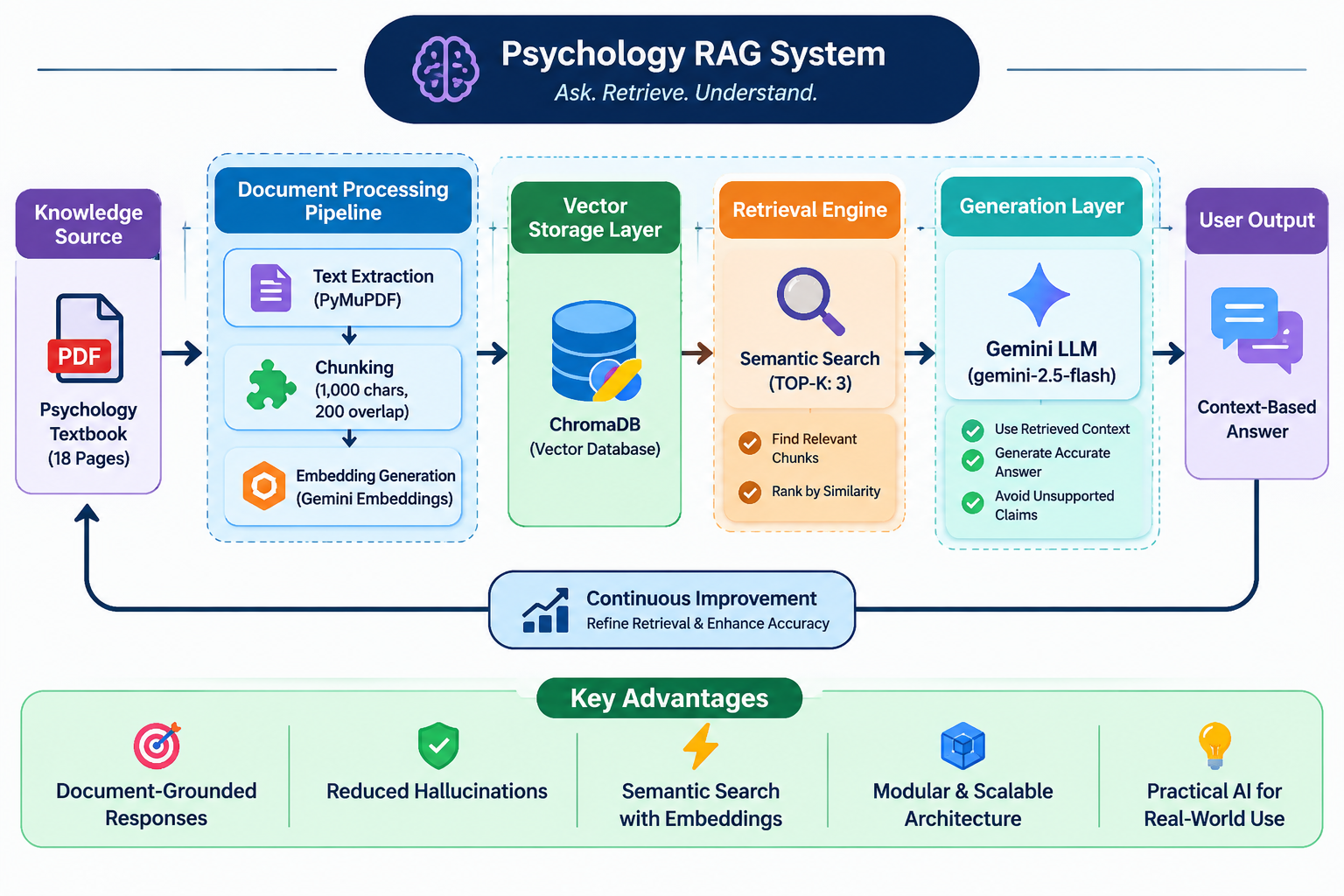
RAG applications retrieve relevant information from documents or databases and provide it to an LLM as context. Carefully designed prompts help the model answer questions using that retrieved information.
AI Agents
AI agents can use language models to plan tasks, select tools, and perform multi-step workflows. Clear instructions and output constraints help make these workflows more predictable.
Useful Resources to Learn More
If you want to explore prompt engineering further, these official resources are good starting points:
- Google AI for Developers – Prompt Design Strategies
- Google Cloud – What Is Prompt Engineering?
- OpenAI – Prompt Engineering Guide
- OpenAI Help Center – Prompt Engineering Best Practices
These guides explain prompt design principles, examples, and techniques for building more reliable AI applications.
Conclusion
Prompt engineering is an important skill for anyone working with Artificial Intelligence and Large Language Models. It is not simply about writing longer questions. It is about providing the right context, clear instructions, useful examples, and a well-defined output format.
Through three practical experiments using Gemini in Google AI Studio, I compared zero-shot and few-shot prompting, tested direct and step-by-step instructions, and evaluated JSON generation using five customer messages.
The experiments also showed why testing matters. Both classification prompts worked correctly, both mathematical prompts returned the right final answer, and all five JSON responses passed manual structural inspection. At the same time, the tests revealed limitations involving output formatting and ambiguous data.
The most important lesson is that prompt engineering is an iterative process: write, test, evaluate, improve, and validate.
As generative AI becomes part of more software products and business workflows, understanding prompt engineering will help developers build more useful and reliable AI-powered applications.


Leave a Reply
You must be logged in to post a comment.