
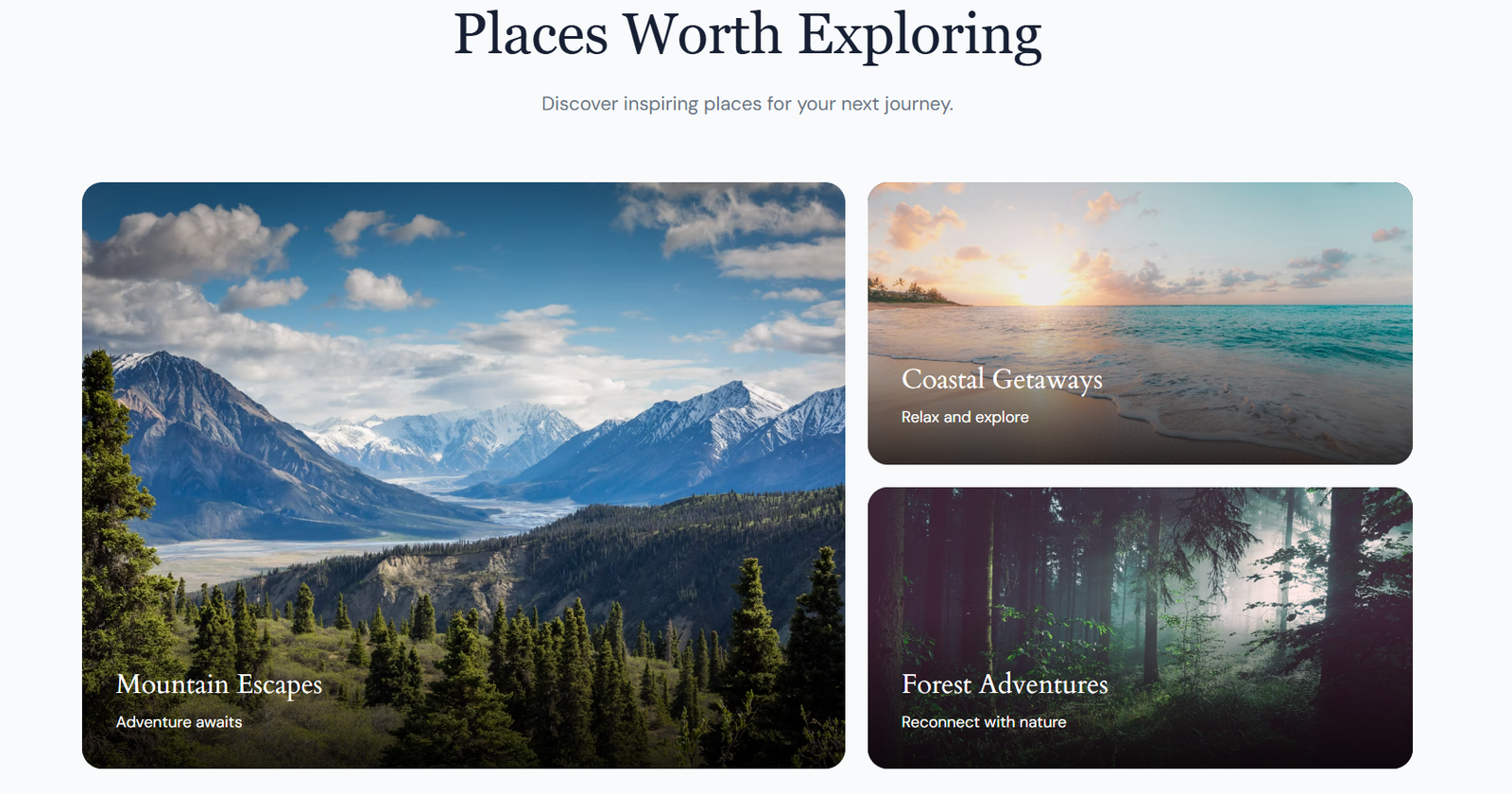

As part of my internship at Valentius Kryptix, I worked on the “Milestone: Optimised Landing Site” task. For this milestone, I developed AdventureX, a responsive and SEO-optimised travel website designed to provide users with a simple, engaging, and user-friendly travel experience.
The main objective of the project was to combine the skills I developed during the earlier stages of my internship into one complete website. The project brought together HTML, CSS, JavaScript, WordPress, PHP, responsive web design, and on-page SEO techniques.
AdventureX focuses on presenting travel information through an attractive layout, clear navigation, interactive elements, travel imagery, and strong calls to action. Throughout the development process, I focused not only on the visual appearance of the website but also on usability, responsiveness, functionality, and search-engine optimisation.
Building the HTML and CSS Foundation
The project began I established the core structure and visual design of the AdventureX landing page using HTML5 and CSS3.
The page was organised into key sections including the navigation, hero area, travel and destination content, calls to action, and footer. Particular attention was given to visual hierarchy, typography, spacing, alignment, imagery, and consistent styling.
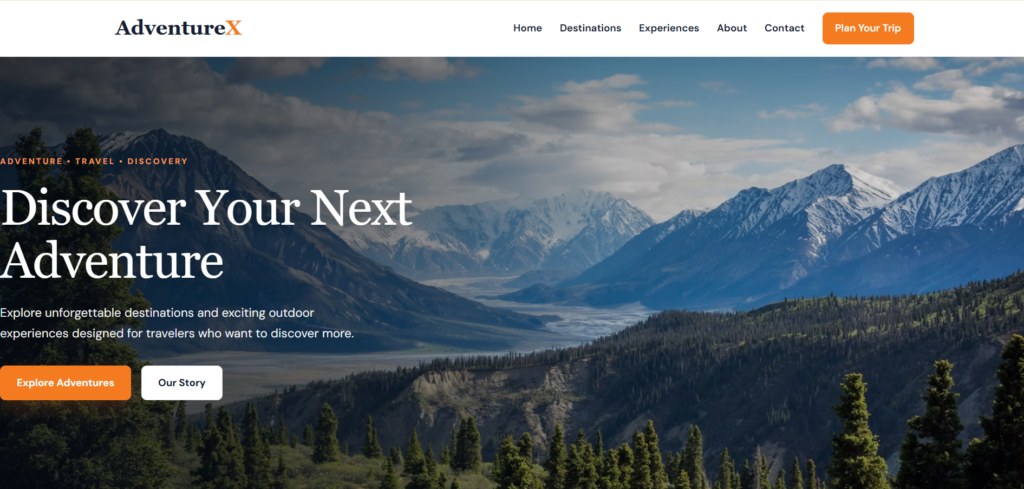
AdventureX responsive travel landing pageThe hero section was designed to communicate the purpose of the website immediately through travel imagery, clear messaging, and call-to-action elements. The overall layout was developed with responsiveness in mind so that the design could adapt to different screen sizes.
This stage established the visual and structural foundation that was later carried into the WordPress implementation.
Implementing the Project in WordPress
I transitioned the AdventureX project into WordPress and implemented the design using a customised child-theme structure.
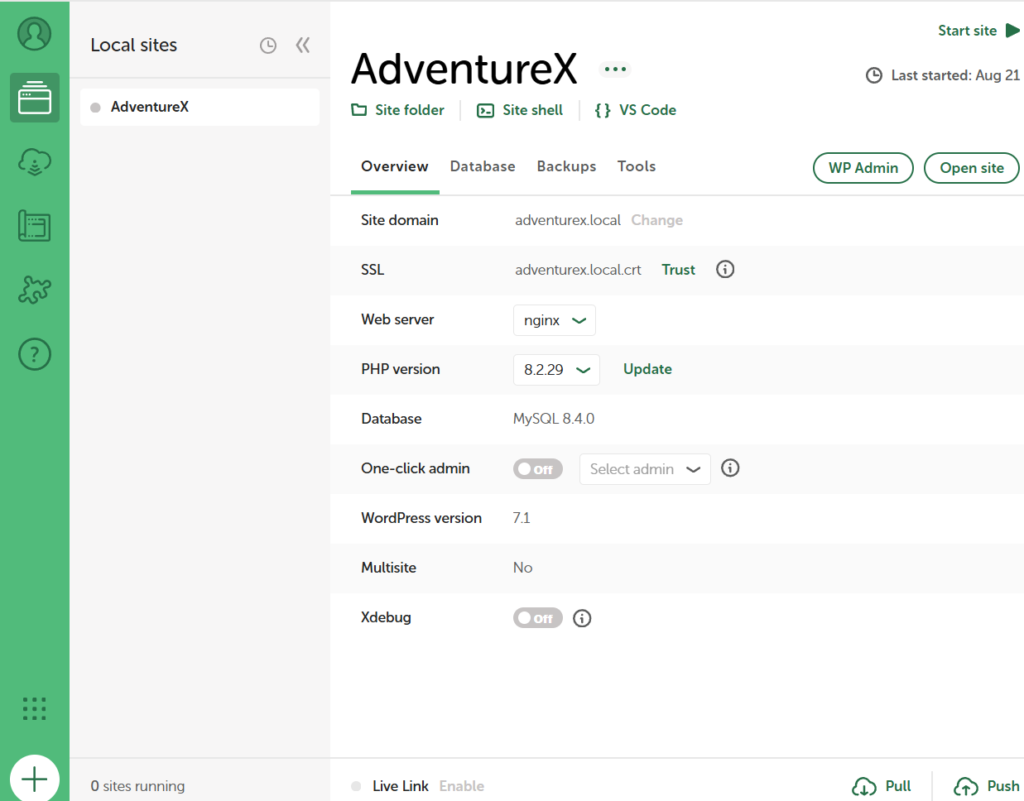
I worked with WordPress theme files, PHP templates, CSS, and WordPress functions to customise the website while maintaining the underlying parent-theme structure. This provided a practical understanding of how a front-end design can be integrated into a content management system.
I also developed supporting pages such as About and Contact, creating a more complete website structure and improving the overall navigation experience.
Working with WordPress introduced additional considerations such as template organisation, theme inheritance, content management, and maintaining consistency between different pages.
Introducing JavaScript Interactivity
Focused on improving the website experience through JavaScript-based interactivity.
Interactive components were introduced to make the website more engaging and easier to use. These included an FAQ accordion, navigation behaviour, call-to-action interactions, scroll-based effects, and form-related functionality.
The FAQ accordion is particularly useful for presenting information in a compact format. Visitors can expand a question to view its answer without having to navigate away from the page.
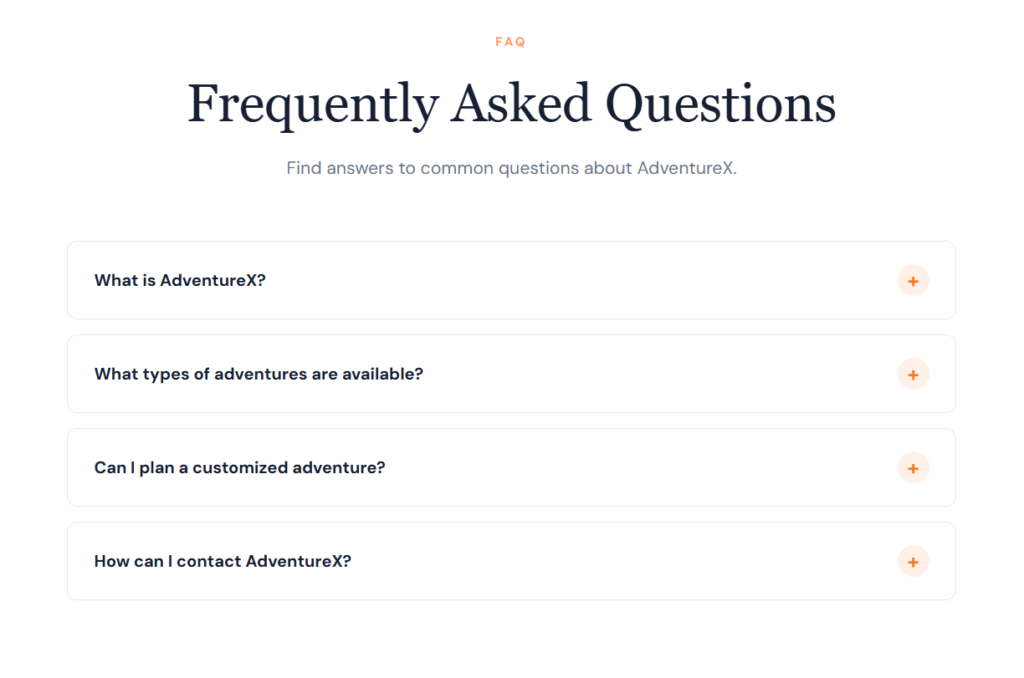
Implementing these features helped me understand how JavaScript can enhance a website beyond its static HTML and CSS structure while keeping interactions focused on usability.
Applying On-Page SEO
Focused on on-page SEO and technical website optimisation.
I worked on important SEO elements including page titles, meta information, heading hierarchy, image alternative text, and structured data. I also implemented supporting technical files such as robots.txt and sitemap.xml.
The heading structure was reviewed to ensure that content was organised logically, with a clear primary H1 and appropriate H2 and H3 headings for supporting sections.
I also considered meaningful alt text for relevant images. This supports accessibility while providing additional context about visual content.
This stage helped me understand that effective SEO involves more than adding keywords. A well-structured website, accessible content, appropriate metadata, and clear technical organisation all contribute to a stronger foundation for search visibility.
Bringing Everything Together
Represented the final stage of the project, where I consolidated the work from the previous workshops into the final AdventureX optimised landing site.
The HTML and CSS foundation from WS-1, WordPress implementation from WS-2, JavaScript functionality from WS-3, and SEO improvements from WS-4 were integrated into a single project.
At this stage, I also reviewed the overall design and functionality to ensure consistency across the website. Responsive behaviour was tested and refined for different screen sizes, including desktop and mobile layouts.
This integration was an important part of the project because each individual component needed to work together as part of one coherent website rather than as separate workshop exercises.
Responsive Design and User Experience
Responsive design was an important consideration throughout the development process. Since visitors may access AdventureX from desktops, tablets, or smartphones, the website needed to remain usable across different viewport sizes.

AdventureX mobile responsive design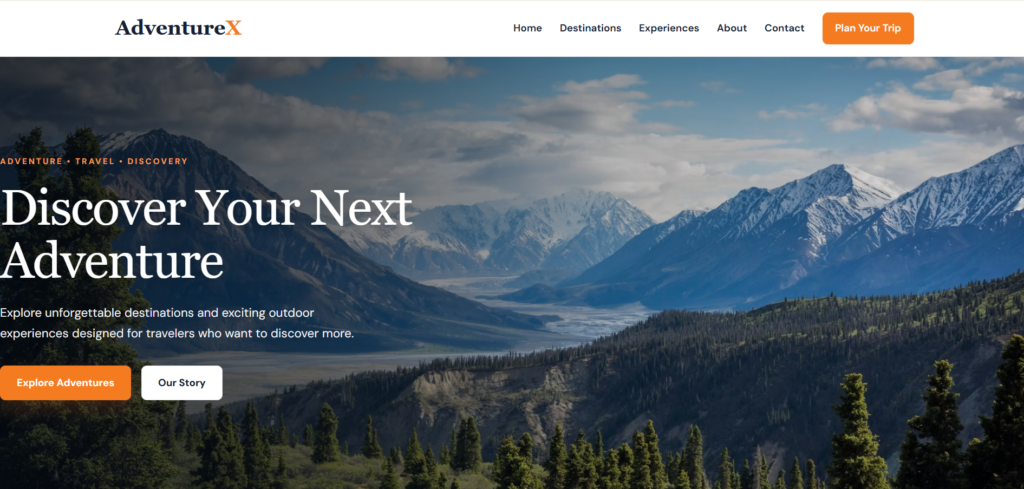
AdventureX Desktops responsive designI reviewed elements such as navigation, imagery, buttons, typography, spacing, and content sections to ensure that they adapted appropriately to smaller screens.
The process reinforced an important principle of web development: responsive design is not simply about reducing the size of desktop elements. It requires considering how the entire layout, navigation, content hierarchy, and user interactions behave on different devices.
Challenges and Problem Solving
Developing AdventureX involved several practical challenges, particularly around WordPress customisation, theme integration, navigation, responsive layouts, JavaScript functionality, and SEO implementation.
One of the key challenges was integrating the work from multiple development stages into a consistent WordPress website. Using a child-theme structure provided a practical way to manage custom styling and functionality while maintaining the parent theme.
I also reviewed navigation and interactive components to ensure that users could move through the website effectively. Responsive testing required additional adjustments to maintain a consistent experience across different screen sizes.
Working through these challenges strengthened my debugging, testing, and problem-solving skills and showed me the importance of iterative improvement during website development.
Key Learnings
The AdventureX project provided practical experience across several areas of web development. My key learnings include:
- Developing structured web pages using HTML5
- Creating responsive layouts with CSS3
- Implementing interactive functionality with JavaScript
- Customising websites using WordPress
- Working with PHP and WordPress child themes
- Applying on-page SEO techniques
- Implementing sitemap.xml and robots.txt
- Using meaningful image alt text
- Testing responsive layouts
- Debugging and improving website functionality
- Designing with usability and accessibility in mind
One of the most valuable lessons from this project was understanding that a professional website requires more than visual appeal. Design, functionality, responsiveness, accessibility, content structure, and SEO all need to work together to create an effective user experience.
Conclusion
The “Milestone: Optimised Landing Site” project was an important stage of my internship at Valentius Kryptix because it allowed me to bring multiple areas of web development together into one complete project.
WS-1 established the HTML and CSS foundation, WS-2 introduced WordPress development, WS-3 added JavaScript interactivity, WS-4 focused on SEO and technical optimisation, and WS-5 brought these components together into the final AdventureX website.
Through this project, I gained practical experience in developing, customising, testing, and optimising a real website rather than working with isolated technical examples.
AdventureX: Designing a Better Travel Experience represents my progress in front-end development, WordPress customisation, JavaScript, responsive design, and SEO. The project has strengthened my understanding of the complete website-development workflow and provided valuable experience that I can apply to future web development projects.


Leave a Reply
You must be logged in to post a comment.