

Primary Keyword: AI Web App Development
Secondary Keywords: AI-powered web application, LLM integration, React web development, Next.js development, AI API integration, full-stack web development, AI application deployment.
Target Audience: Students, beginner developers, software engineers, and people interested in Artificial Intelligence and full-stack web development.
Search Intent: Informational – readers want to understand how to build and deploy an AI-powered web application.
Suggested URL Slug: ai-web-app-development
Meta Title: AI Web App Development: A Practical Guide
Meta Description: Explore AI Web App Development through a real project covering React, Next.js, LLM integration, backend APIs, validation, and deployment.
1. Introduction
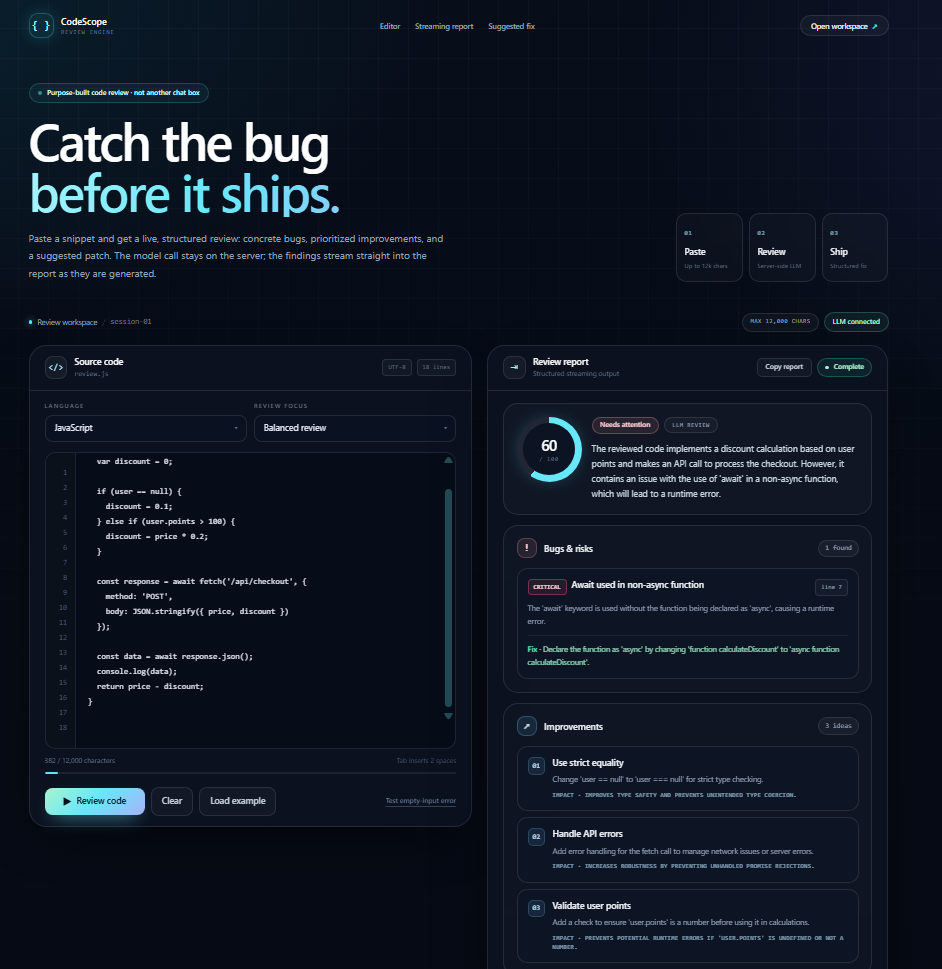
AI Web App Development is an important part of modern software engineering. It combines Artificial Intelligence with web technologies to create smart, interactive, and useful applications. During my remote internship at Valentius Kryptix, I worked on an AI Web App project where I learned how to integrate Large Language Models (LLMs), connect frontend and backend services, handle API requests, and deploy a functional web application.
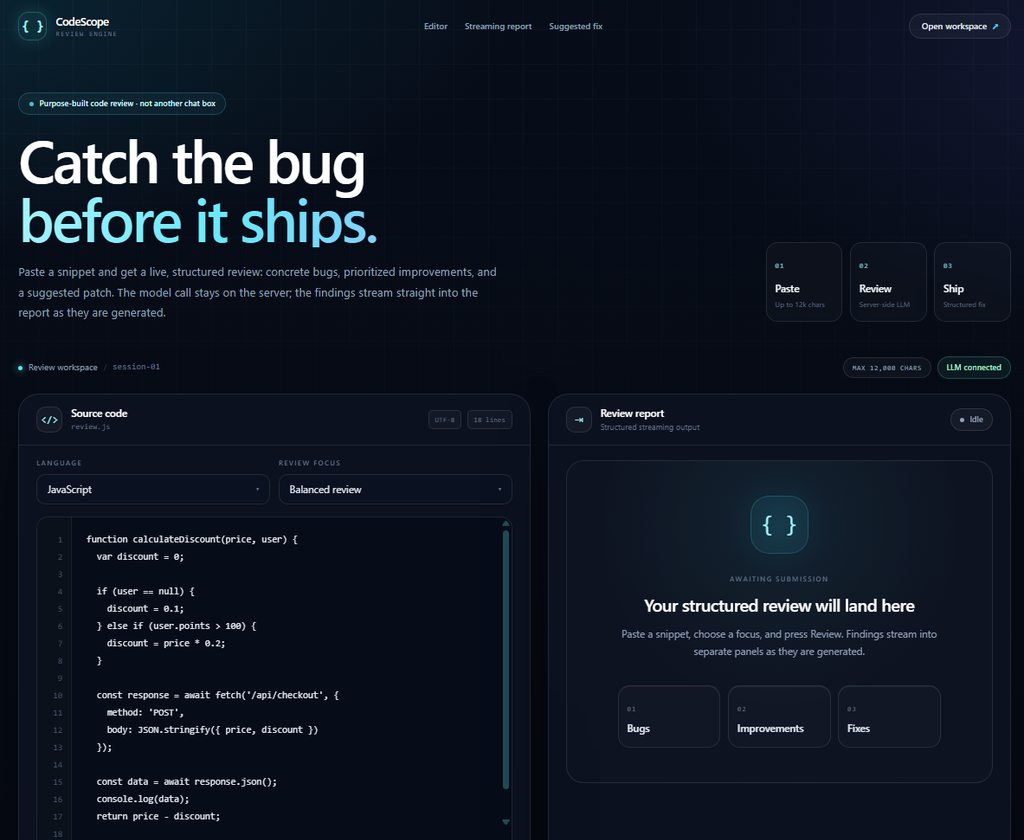
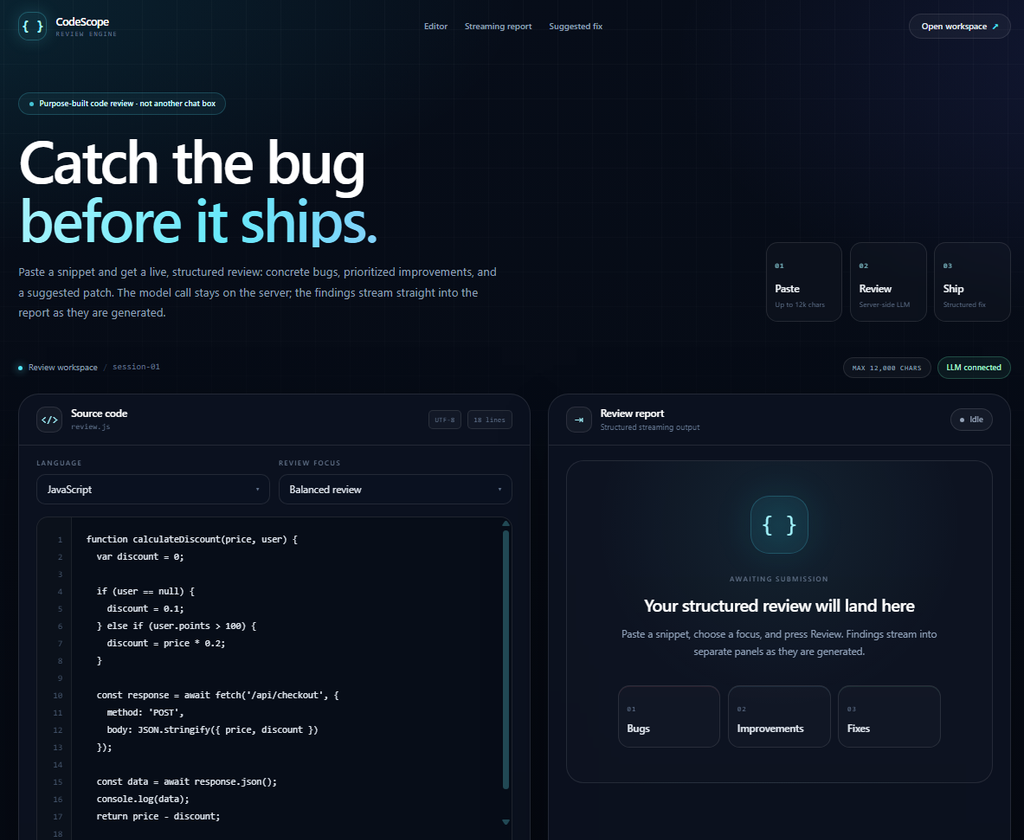
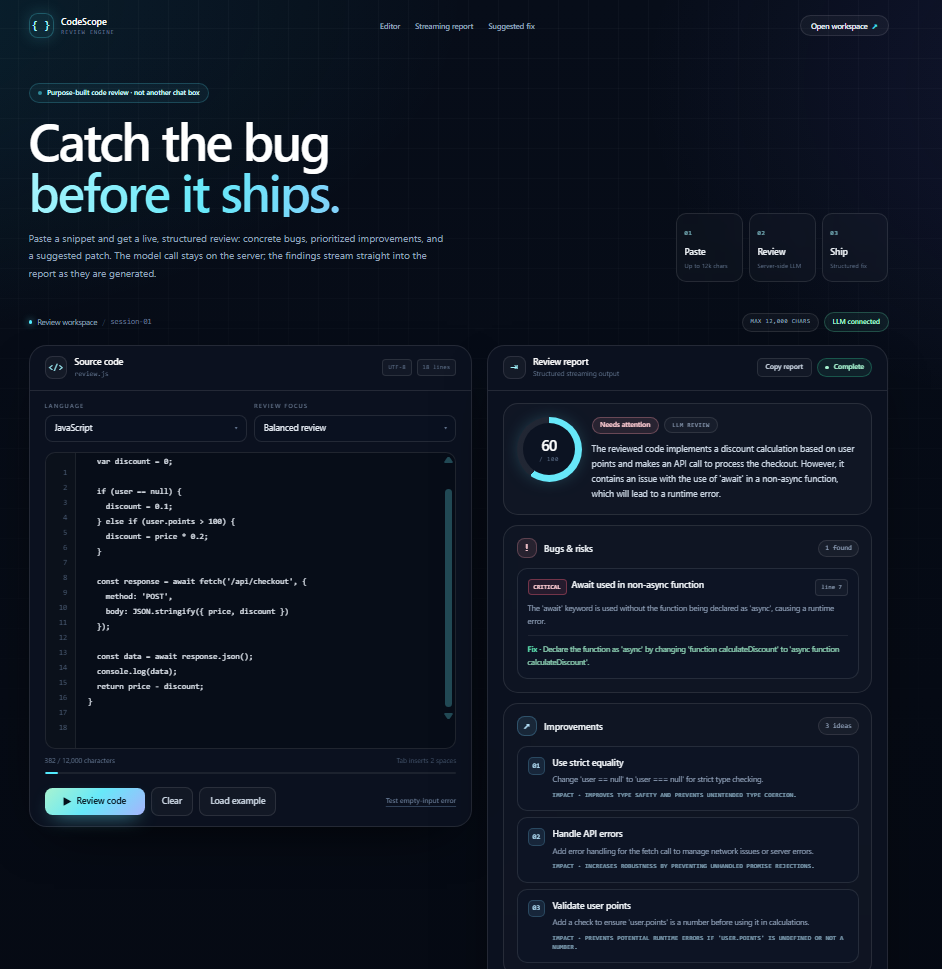
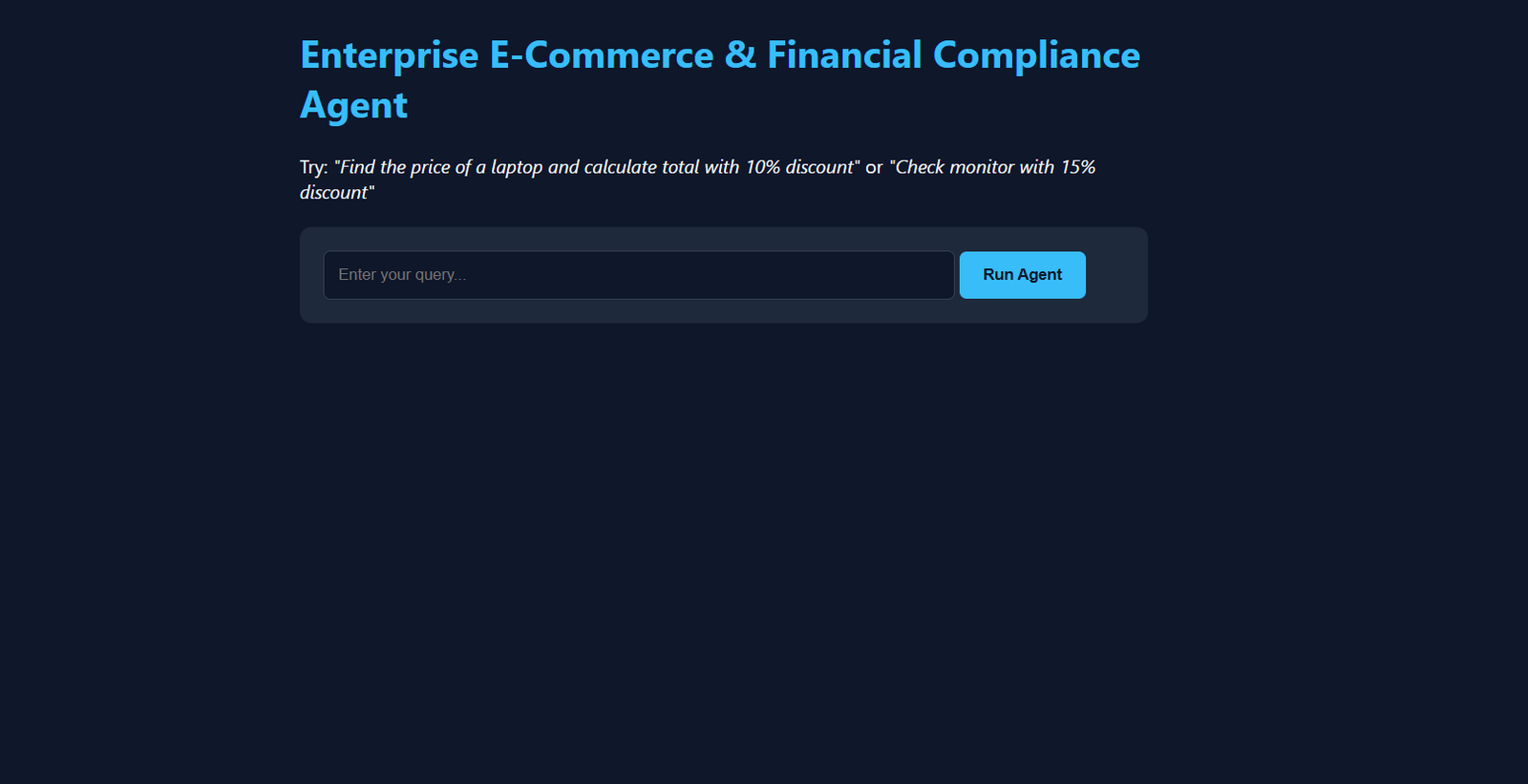
Live Project: https://reviewion.netlify.app/
In this article, I will explain the project objectives, technologies, development process, important features, challenges, and key lessons I learned during development.
2. Understanding the Project
The AI Web App project focuses on integrating Artificial Intelligence into a web-based application.
The objective was to create a practical application where users can interact with an AI-powered feature through a simple and user-friendly interface.
The project involved three major components:
- Frontend: Provides the interface through which users interact with the application.
- Backend: Handles requests and communicates with the AI service.
- AI Integration: Processes user input and generates intelligent responses.
This approach helped me understand how different parts of a full-stack application work together.
3. Technologies Used
Several modern technologies were used in the development process.
3.1 React and Next.js
React helps build reusable user interface components. Next.js provides additional features for building full-stack web applications, including server-side functionality and API routes.
3.2 TypeScript and JavaScript
These programming languages support application logic, user interactions, and communication between different application components.
TypeScript also helps identify certain programming errors through static type checking.
3.3 Tailwind CSS
Tailwind CSS helps create a clean, responsive, and modern interface using utility-based styling.
3.4 Large Language Model API
An LLM API provides the AI capabilities of the application. It processes user input and generates responses based on the requested task.
3.5 Netlify
Netlify was used to make the project accessible through a public URL.
Live Application: https://reviewion.netlify.app/
4. Development Process
The project followed a structured development process.
4.1 Research and Planning
The first step was understanding the project requirements and deciding how users would interact with the application.
I planned the user flow, application structure, frontend components, backend communication, and AI integration.
4.2 Frontend Development
I worked on creating an interactive user interface that makes the application easy to use.
The frontend was designed to:
- Accept user input.
- Provide clear action buttons.
- Display AI-generated results.
- Show loading indicators.
- Display useful error messages.
4.3 Backend API Development
The backend is an important part of an AI-powered web application.
Instead of calling the AI provider directly from the browser, the application sends requests to a backend API route.
The backend processes the request, communicates with the AI provider, and returns the generated result.
This approach also helps protect sensitive API credentials.
4.4 AI API Integration
The next step was connecting the application to a Large Language Model API.
The API receives the required input, processes it using the selected AI model, and returns an AI-generated response.
This integration connects the frontend experience with the intelligence provided by the language model.
4.5 Testing and Deployment
After development, the application needed to be tested to identify possible issues.
Important testing areas included:
- Checking empty input validation.
- Testing normal user requests.
- Handling API errors.
- Checking loading states.
- Testing the application on different screen sizes.
- Verifying the deployed application.
Finally, the application was deployed so users could access it through a public URL.
5. Important Features of the AI Web App
5.1 AI-Powered Processing
The application uses an AI model to process user requests and generate useful results.
5.2 User-Friendly Interface
The interface provides a straightforward way for users to interact with the application’s AI functionality.
5.3 Secure Backend Communication
AI API requests are handled through the backend instead of exposing secret API credentials in frontend code.
5.4 Input Validation
Input validation helps prevent empty or excessively large requests from being submitted.
5.5 Loading and Error States
The application provides visible feedback while processing requests and displays error messages when requests fail.
5.6 Responsive Design
The interface is designed to provide a usable experience across desktop, tablet, and mobile devices.
6. Challenges Faced During Development
Building an AI-powered web application involves more than connecting an API.
Some important development challenges included:
API Communication: Understanding how the frontend and backend communicate and how to process API responses correctly.
API Security: Keeping API credentials private and ensuring that sensitive information is not exposed in browser-side code.
Error Handling: Managing API failures, invalid requests, and unexpected responses.
User Experience: Making sure users receive clear feedback instead of waiting without knowing what is happening.
Working through these areas helped me improve my understanding of practical full-stack development.
7. Key Learnings
This project provided valuable hands-on experience in modern web development and AI integration.
My major learnings included:
- Understanding how Large Language Models can be integrated into web applications.
- Learning frontend and backend communication through API routes.
- Understanding secure API key management.
- Improving input validation and error-handling techniques.
- Learning how to deploy a web application and test its live version.
- Understanding the importance of user experience in AI-powered products.
These skills are useful for developing more advanced AI-based software solutions.
8. Future Improvements
AI-powered web applications can be improved continuously.
Some possible future enhancements include:
- Adding more advanced AI models.
- Improving response speed and streaming.
- Adding user authentication.
- Saving previous user requests and results.
- Improving performance and accessibility.
- Adding more advanced application features.
These improvements could make the application more useful and scalable.
9. Conclusion
Working on this project during my remote internship at Valentius Kryptix was a valuable learning experience. It helped me understand how Artificial Intelligence can be connected with modern web technologies to develop practical applications.
Through this project, I gained experience in frontend development, backend API integration, LLM communication, input validation, error handling, and deployment.
AI Web App Development helped me connect theoretical knowledge with practical software development and strengthened my interest in building intelligent applications.
I look forward to exploring more opportunities in Artificial Intelligence, full-stack development, and modern software engineering.
Explore the Live Project: https://reviewion.netlify.app/
Internship Organization: Valentius Kryptix
10. References and Further Learning
The following official resources are useful for understanding the technologies involved:
- React Documentation – https://react.dev/
- Next.js Documentation – https://nextjs.org/docs
- TypeScript Documentation – https://www.typescriptlang.org/docs/
- Tailwind CSS Documentation – https://tailwindcss.com/docs
- Netlify Documentation – https://docs.netlify.com/
Tags: #AIWebApp #ArtificialIntelligence #FullStackDevelopment #ReactJS #NextJS #LLM #WebDevelopment #Internship #ValentiusKryptix

Leave a Reply
You must be logged in to post a comment.