

Introduction
In modern software development, writing code is only one part of building a reliable application. Developers also need to test their code, identify errors, and ensure that new changes do not break existing functionality. Performing these tasks manually every time code is updated can be repetitive and time-consuming. This is where Continuous Integration and Continuous Deployment (CI/CD) become important.
As part of my Full Stack Development Internship at Valentius Kryptix, I worked on a CI/CD Pipeline task using my existing Study Resource Organizer project. The main objective was to understand how automation can improve the software development workflow by automatically installing dependencies and running backend tests whenever code changes are pushed to GitHub.
In this blog, I will explain the tools I used, the implementation process, the testing workflow, and the key lessons I learned.
What Is CI/CD?
CI/CD stands for Continuous Integration and Continuous Deployment or Continuous Delivery. It is a set of software development practices that helps teams automate important stages of the development process.
Continuous Integration (CI) is the practice of frequently integrating code changes into a shared repository. Whenever a developer pushes new code, an automated workflow can run checks and tests to identify problems early.
Continuous Delivery (CD) extends this process by preparing tested code for release. Continuous Deployment goes one step further by automatically deploying successful changes to a production environment.
For my internship task, I focused on implementing Continuous Integration using GitHub Actions. This allowed me to automate backend testing whenever changes were pushed to the main branch or a pull request was created for the main branch.
Project Overview: Study Resource Organizer
The Study Resource Organizer is a full-stack web application designed to help students manage their learning materials in one place. It provides functionality for organizing study resources and managing related information.
The application uses the following technologies:
- Frontend: React.js
- Backend: Python and Django
- API: Django REST Framework
- Database: PostgreSQL
- Version Control: Git and GitHub
- Automation: GitHub Actions
Before implementing the pipeline, I had already worked on backend functionality and automated tests for the application. The CI task helped me connect these existing tests with an automated GitHub workflow.
Project Repository:
https://github.com/SaniyaPatil296/StudyResourceOrganizer
Tools and Technologies Used
I used the following tools to implement the pipeline:
1. GitHub Actions
GitHub Actions is an automation platform integrated into GitHub. It allows developers to create workflows that execute automatically in response to repository events such as pushes and pull requests.
2. Python
Python was used as the programming language for the Django backend and its test suite.
3. Django
Django provides the backend framework for the application. I used its built-in testing command to execute the backend tests.
4. Git and GitHub
Git was used to track changes, while GitHub hosted the repository and executed the automated workflow.
Implementation of the CI Pipeline
I started by opening my existing Study Resource Organizer project and creating a GitHub Actions workflow directory.
Inside the project repository, I created the following directory structure:
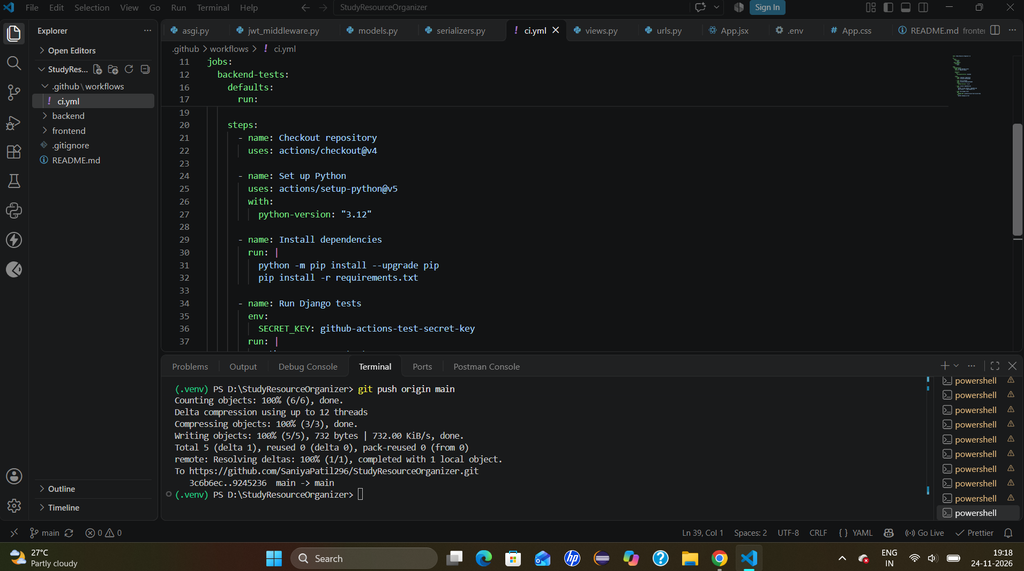
.github/workflows/ci.yml
The ci.yml file contains the configuration that defines how the automated pipeline should work.
The workflow was configured to run when code is pushed to the main branch or when a pull request targets the main branch.
The pipeline contains several important steps:
Step 1: Checkout the Repository
The workflow uses the GitHub Actions checkout action to access the latest version of the project source code.
Step 2: Set Up Python
The Python setup action prepares the required Python environment for running the backend application and its tests.
Step 3: Install Dependencies
The workflow moves into the backend directory and installs the required Python packages using the project’s requirements.txt file.
This ensures that the testing environment has the dependencies needed by the Django application.
Step 4: Run Django Tests
After installing the dependencies, the workflow executes:
python manage.py test
This command runs the Django test suite. If any test fails, the workflow reports a failure instead of marking the pipeline as successful.
This step is important because it helps detect problems before changes are accepted into the main development workflow.
Testing and Results
After creating the workflow, I first tested the backend locally to make sure the existing test suite was working correctly.
The local test execution reported:
- Total tests discovered: 13
- Tests passed: 13
- Tests failed: 0
- Final result: OK
Next, I committed the workflow file and pushed it to the GitHub repository.
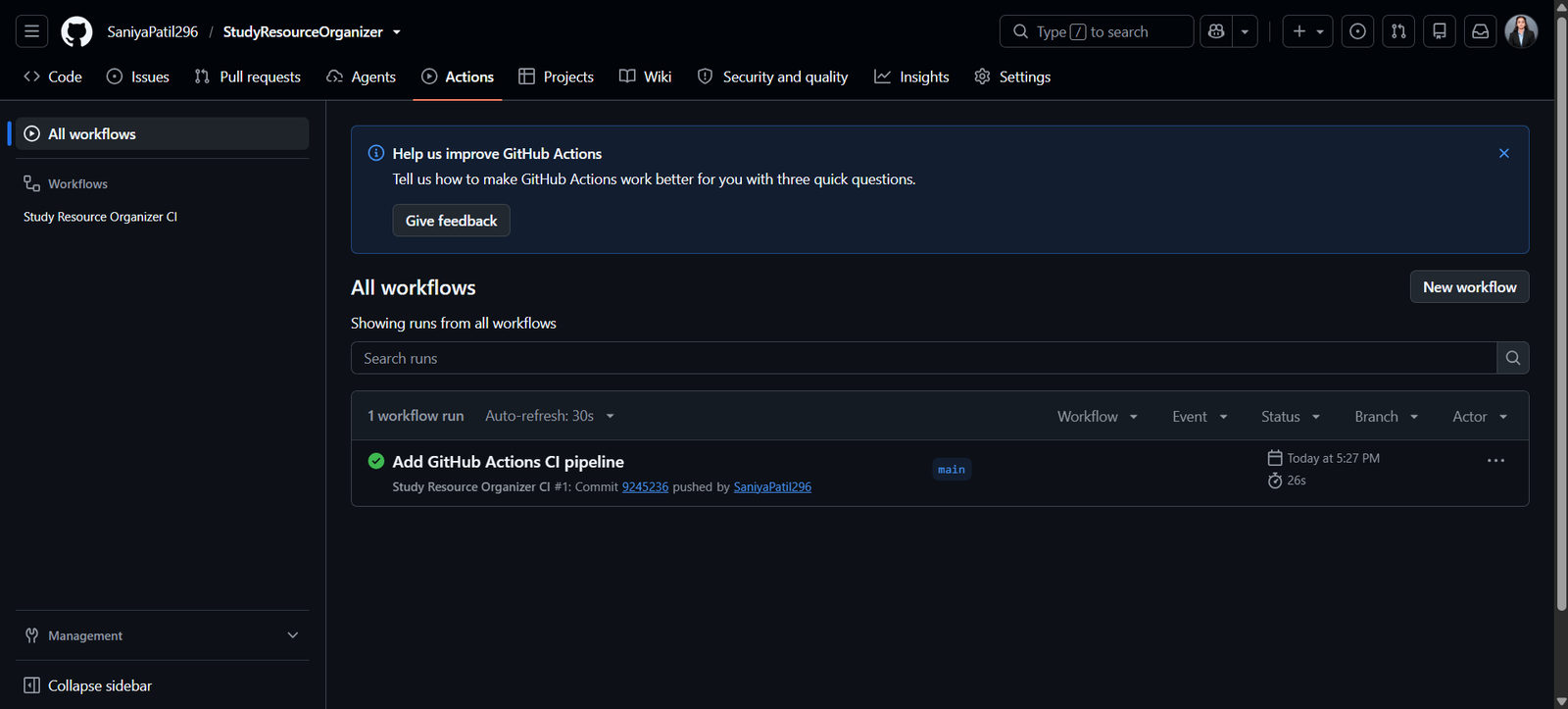
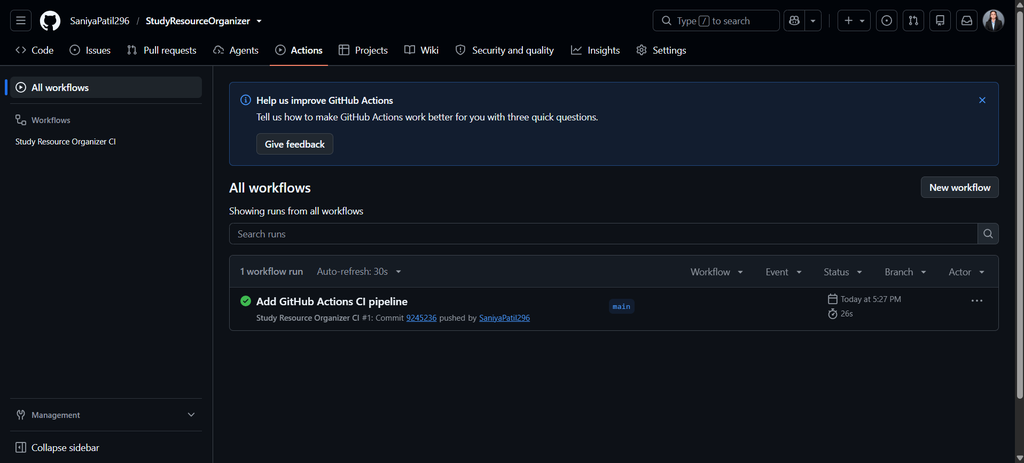
GitHub Actions automatically detected the new commit and started executing the workflow. I then opened the Actions tab in my repository to check the execution result.
The first workflow run completed successfully in approximately 26 seconds.
This confirmed that GitHub Actions could access the repository, configure the Python environment, install the backend dependencies, and execute the Django tests successfully.
GitHub Actions Workflow:
https://github.com/SaniyaPatil296/StudyResourceOrganizer/actions/runs/45388942241
Key Learnings
Working on this task helped me understand several important software development practices.
1. Automating Repetitive Tasks
I learned how GitHub Actions can automatically execute testing tasks whenever code changes are pushed. This reduces the need to run every check manually.
2. Understanding Automated Testing in CI
I understood how a test suite can be integrated into a development workflow. A failed test causes the CI job to fail, helping developers identify issues earlier.
3. Working with YAML Workflow Configuration
I gained practical experience creating and configuring a YAML file to define workflow triggers, jobs, environments, dependencies, and testing commands.
I also learned the importance of checking workflow execution logs to identify and resolve errors.
Benefits of Using CI/CD
CI/CD practices provide several benefits to software development teams:
- Early Error Detection: Automated tests help identify problems soon after code changes are submitted.
- Improved Code Quality: Running tests consistently helps maintain application stability.
- Time Efficiency: Repetitive testing tasks can be automated.
- Better Collaboration: Developers can receive feedback about code changes through a shared workflow.
- Reliable Development Process: A successful workflow provides evidence that the configured checks have passed.
Conclusion
Implementing the CI pipeline for my Study Resource Organizer project was a valuable learning experience during my internship at Valentius Kryptix.
Through this task, I gained practical experience with GitHub Actions, Python environments, Django testing, YAML configuration, and GitHub repository automation.
The successful execution of all 13 backend tests and the first green GitHub Actions workflow run helped me understand how automated testing fits into a real software development workflow.
This experience strengthened my understanding of Continuous Integration and gave me a foundation for learning more advanced CI/CD practices, including automated deployment.
I look forward to applying these concepts to future full-stack development projects and improving my knowledge of software engineering practices.
Author: Saniya Patil
Role: Full Stack Development Intern
Organization: Valentius Kryptix
Technologies: Python | Django | React.js | Git | GitHub | GitHub Actions | PostgreSQL

Leave a Reply
You must be logged in to post a comment.