

Introduction
Security is one of the most important aspects of modern web application development. Websites and applications often require users to register, log in, and access personal information securely. An authentication system helps verify a user’s identity and ensures that only authorized users can access protected resources.
As part of my internship at Valentius Kryptix, I developed an Authentication System using Python, Django REST Framework, and JSON Web Tokens (JWT). This project helped me understand how authentication works in real-world applications and how to build secure REST APIs.
Technologies Used
The project was developed using the following technologies:
Python: Used to implement the application logic.
Django: Provided the web framework and user-management functionality.
Django REST Framework: Used to create REST API endpoints.
Simple JWT: Used to generate and validate JWT access and refresh tokens.
SQLite: Used as the development database.
Postman: Used to test API requests and responses.
Key Features of the Authentication System
1. User Registration and Password Hashing
The registration feature allows new users to create accounts by providing their username, email address, and password.
Instead of storing passwords as plain text, the system uses Django’s built-in password-hashing mechanism. This helps protect users’ credentials if the database is exposed.
The registration process also validates user input and checks whether the username or email address is already registered.
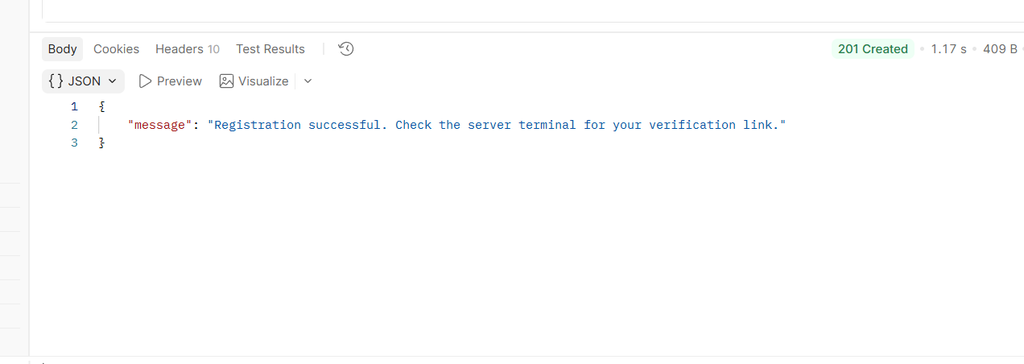
Fig. User-Registration-Postman.png
2. Email Verification
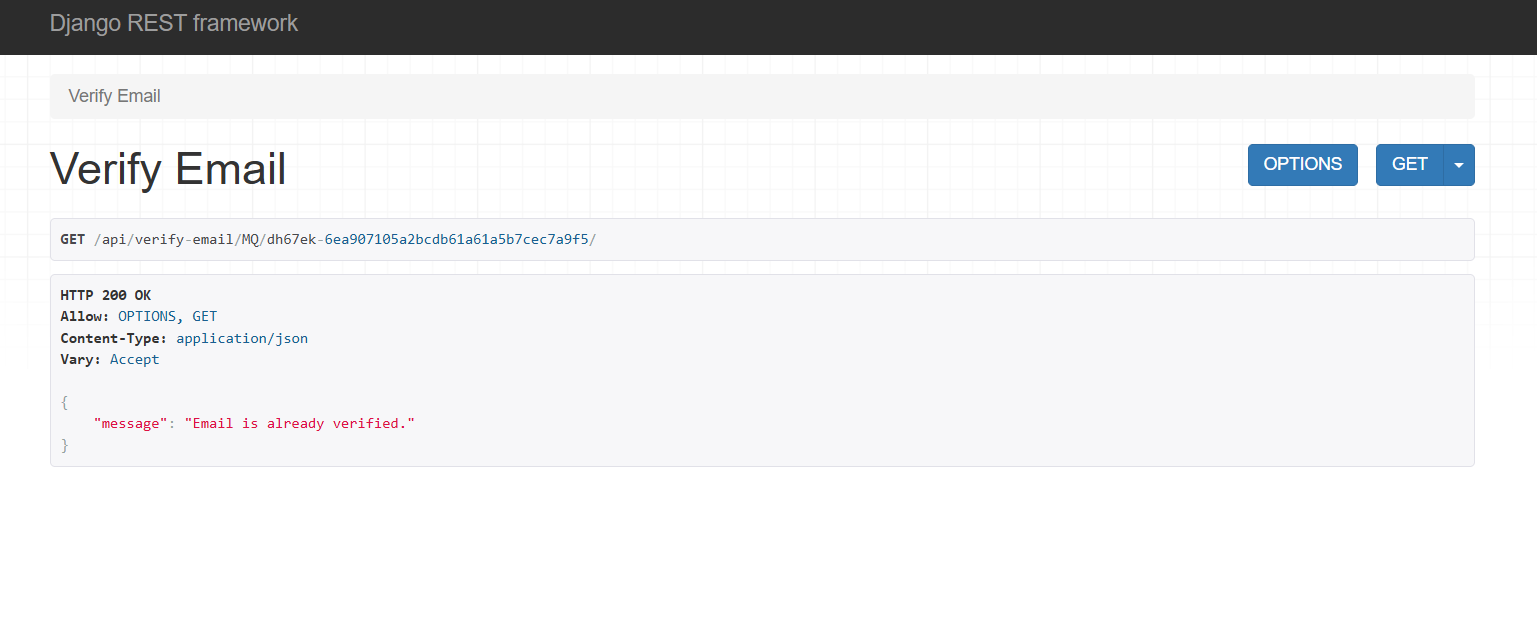
Email verification helps confirm that a user has access to the email address provided during registration.
In this project, newly registered accounts remain inactive until the email verification process is completed. A verification link containing a token allows the user to activate the account.
During local development, I used Django’s console email backend to display verification emails in the server terminal. A real email provider would be required to deliver these emails in a production environment.
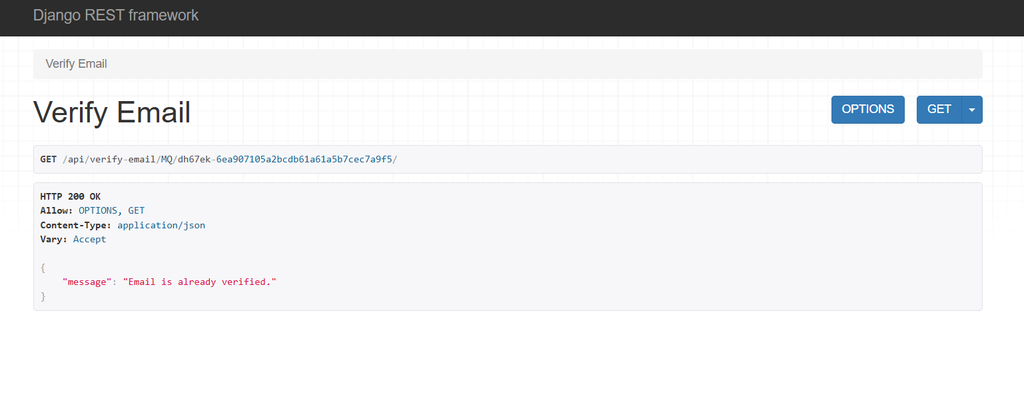
Fig. Email-Verification.png
3. JWT-Based Authentication
JSON Web Tokens (JWT) provide a way to authenticate requests without requiring the user to send their password repeatedly.
After successful login, the API returns an access token and a refresh token. The access token is used to access protected resources, while the refresh token can be used to obtain a new access token according to the configured token policy.
The application uses Django REST Framework and Simple JWT to handle token authentication. The access token is configured to expire after a limited period, helping reduce the risks associated with long-lived access credentials.
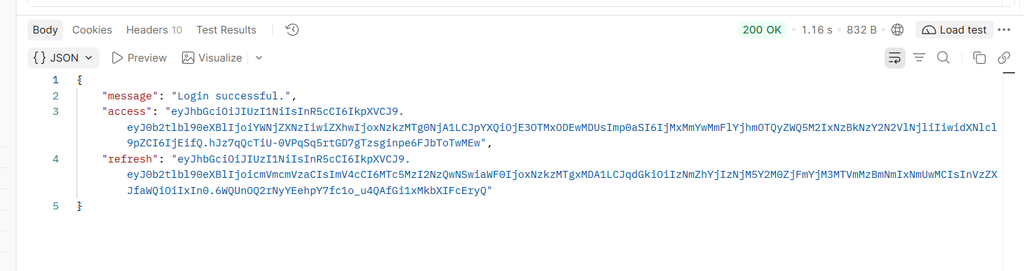
Fig. JWT-login-authentication.png
4. Protected API Endpoints
The system includes a protected endpoint that requires valid authentication credentials.
When a client sends a request with a valid JWT access token, the server allows access to the protected resource. Requests without a valid token are rejected.
This demonstrates how authentication can be applied to API endpoints that should not be accessible to anonymous users.
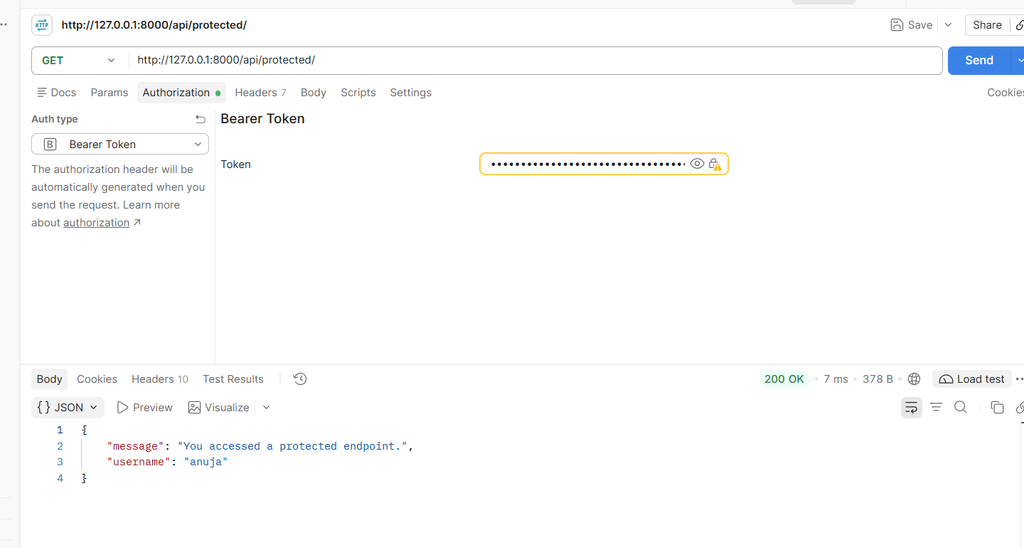
Fig. Protected-api-bearer-token.png
5. Forgot Password and Password Reset
Users may forget their passwords, so a password recovery feature is important for a practical authentication system.
The project includes a forgot-password endpoint that accepts the user’s email address and initiates the password reset process. A reset link containing a time-sensitive token allows the user to request a new password.
The new password is validated before being saved using Django’s password-hashing mechanism.
Key Learnings from the Project
Building this project helped me understand several important backend development concepts.
Secure password handling: I learned how Django hashes passwords and why applications should never store passwords as plain text.
JWT authentication: I gained practical experience with access tokens, refresh tokens, token expiry, and protecting REST API endpoints.
Authentication workflows: I implemented registration, email verification, login, and password recovery, understanding how these features work together.
API testing: Using Postman helped me test different scenarios, including successful login, incorrect passwords, missing authentication tokens, and password reset requests.
Error handling and validation: I learned the importance of validating user input and returning appropriate HTTP status codes for different situations.
Challenges and Solutions
One of the challenges was understanding how email verification and password reset tokens work. Tokens must be generated correctly and validated before an account is activated or a password is changed.
Another important part was configuring JWT authentication so protected endpoints reject unauthenticated requests. Testing these cases in Postman helped me identify issues and verify the expected behavior.
These challenges strengthened my debugging skills and helped me understand the importance of testing both successful and unsuccessful authentication scenarios.
GitHub Repository Overview
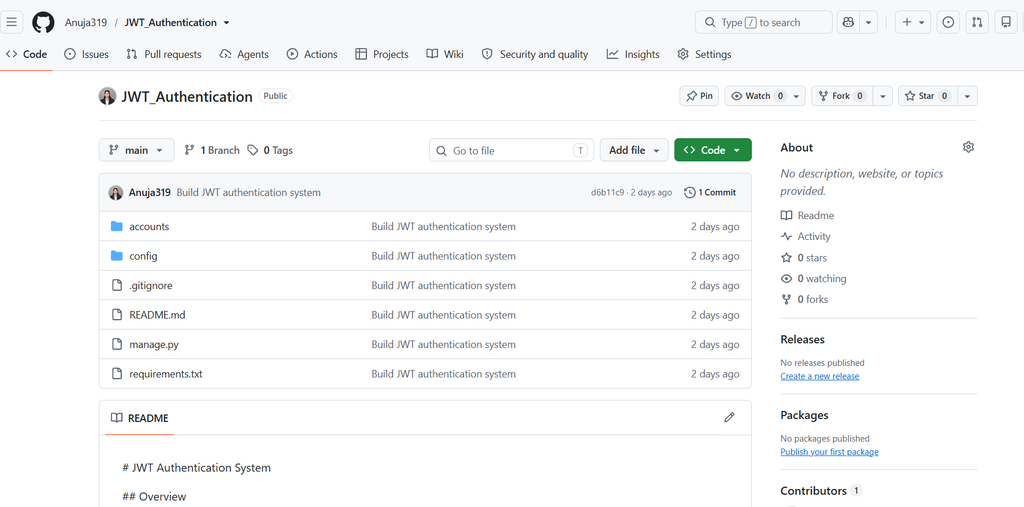
Fig.JWT-authentication-github-repository.png
Conclusion
The Authentication System project was a valuable hands-on learning experience during my internship at Valentius Kryptix. It allowed me to apply Python and Django REST Framework concepts to build an API with registration, email verification, JWT authentication, protected endpoints, and password recovery.
This project improved my understanding of backend development, API security, authentication workflows, and testing with Postman.
I look forward to applying these skills in more full-stack and backend development projects and continuing to learn about secure application design.
Project Repository: https://github.com/Anuja319/JWT_Authentication
Technologies: Python | Django | Django REST Framework | JWT | SQLite | Postman



Leave a Reply
You must be logged in to post a comment.